Conversion to time series format
For a lot of applications it is favorable to convert the image based format into a format which is optimized for fast time series retrieval. This is what we often need for e.g. validation studies. This can be done by stacking the images into a netCDF file and choosing the correct chunk sizes or a lot of other methods. We have chosen to do it in the following way:
Store the time series as netCDF4 Climate and Forecast convention (CF) Orthogonal multidimensional array representation
Store the time series in 5x5 degree cells. This means there will be up to 2566 cell files and a file called
grid.ncwhich contains the information about which grid point is stored in which file. This allows us to read a whole 5x5 degree area into memory and iterate over the time series quickly.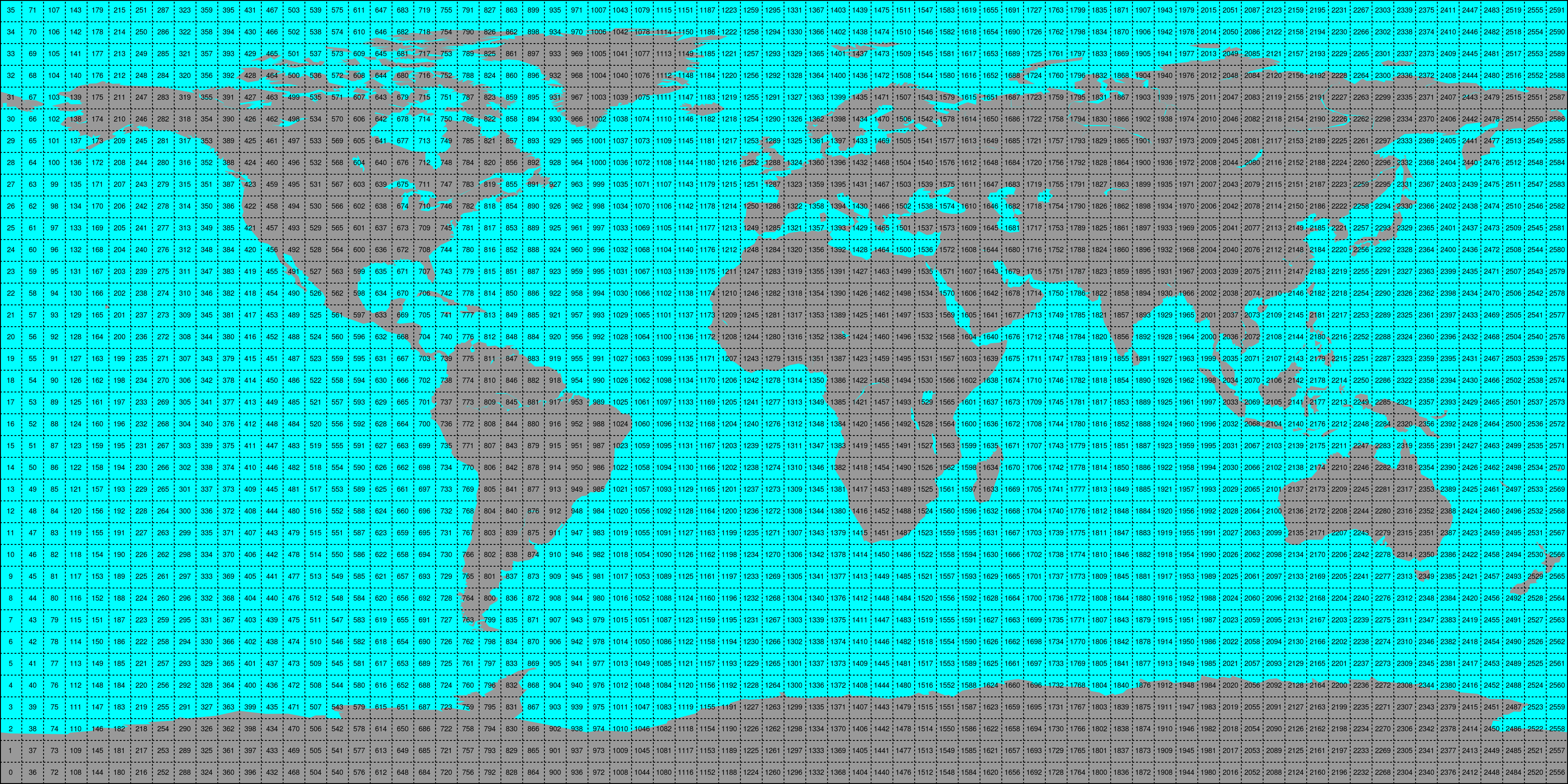

This conversion can be performed using the era5 reshuffle (respectively
era5land reshuffle) command line program. An example would be:
era5 reshuffle /path/to/img /out/ts/path 2000-01-01 2000-12-31 \
     -v swvl1,swvl2 --h_steps 0,12 --bbox -10 30 30 60 --land_points
Which would take (previously downloaded) ERA5 images (at time stamps 0:00 and 12:00 UTC)
stored in /path/to/img from January 1st 2000 to December 31st 2000 and store the
data within land points of the selected bounding box of variables “swvl1” and
“swvl2” as time series in the folder /out/ts/path.
The passed variable names (-v) have to correspond with the names in the
downloaded file, i.e. use the variable short names here.
For all other option see the output up era5 reshuffle --help and
era5land reshuffle --help
Conversion to time series is performed by the repurpose package in the background.
Append new image data to existing time series
Similar to the update_img program, we also provide programs to
simplify updating an existing time series record with newly downloaded
images via the era5 update_ts and era5land update_ts programs.
This will use the settings file created during the initial time series
conversion (with reshuffle) and look for new image data in the same path
that is not yet available in the given time series record.
This option is ideally used together with the update_img program in, e.g.
a cron job, to first download new images, and then append them to their time
series counterpart.
era5 update_ts /existing/ts/record
Alternatively, you can also use the reshuffle command, with a target path
that already contains time series. This will also append new data (but make sure
you use the same settings as before).